vCluster Platform v4.0 - Externally deployed virtual clusters, a revamped UI, dynamic OIDC clients, & more
With this major release of the Platform, we’re making it easier than ever to add existing virtual clusters to the Platform without having to change the way you deploy them. With the Platform you can then enable pro features, add authentication via OIDC, inspect vCluster resources via the UI, and more.
Externally deployed virtual clusters
You can now add any virtual cluster to the platform, regardless of whether it was deployed by the platform or any external tool such as Helm, Argo, or Terraform.
Many open source vCluster users have created hundreds of virtual clusters in their organizations with the automation tools they are most familiar with by just deploying the vCluster Helm chart. And many of these users have reached out to us asking how to use the Platform with these existing virtual clusters. However, adding them into the Platform was previously only possible with an import flow that would now enable the Platform’s controllers to attempt to manage the lifecycle of such a virtual cluster. This is problematic because the tool that originally deployed the virtual cluster also assumes that it is responsible for the lifecycle of this virtual cluster. Users would then be able to make changes in both tools and the tools would reconcile the virtual cluster to the desired state competing against each other for what the actual desired state is given that there is two sources of truth. This is particularly problematic for continuous deployment tools such as Argo CD.
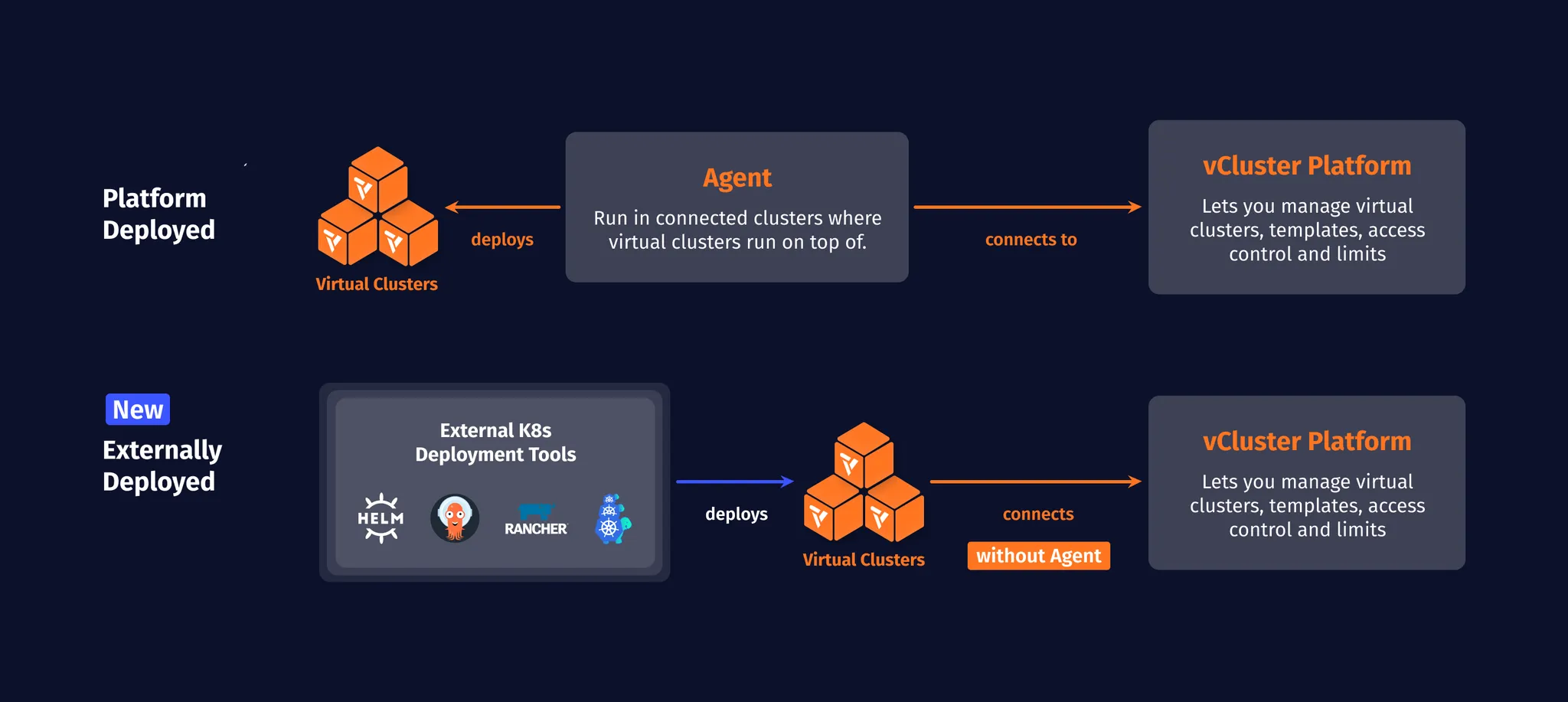
With this release, it is now possible to add an existing virtual cluster to the Platform without having the Platform try to take over the lifecycle management for the virtual cluster. The reason why users want to add their virtual clusters to the Platform even without lifecycle management is that this allows users to:
Enable Pro features of vCluster (license key is distributed to the virtual cluster via the Platform)
Give admins an overview of their fleet of virtual clusters across the organization
View virtual clusters in the UI to get an overview of versions, enabled features, etc.
Detect issues such as vCluster errors, outdated Kubernetes versions or upgrade issues at a glance
Receive additional context and debugging information for errors and overall health status of each virtual cluster
Inspect resources inside virtual clusters via the UI
Give other users access to virtual clusters through the Platform which is especially useful if SSO
Enable integrations provided by the Platform such as the Argo CD integration that can automatically add virtual clusters to Argo or the Vault integration that allows to use of Vault secrets in virtual clusters
Adding a virtual cluster to the Platform is a non-invasive and easily reversible action. To add a virtual cluster to the Platform, run:
vcluster platform add vcluster [name]To spare you to run this command every time you create a virtual cluster with the CLI, vCluster CLI will also auto-add any virtual clusters that you create via vcluster create as long as you are logged into the Platform. So log in, simply run vcluster login [PLATFORM_URL].
Please note that adding externally deployed virtual clusters to the Platform is only support for vCluster v0.20 and above.
UI Revamp
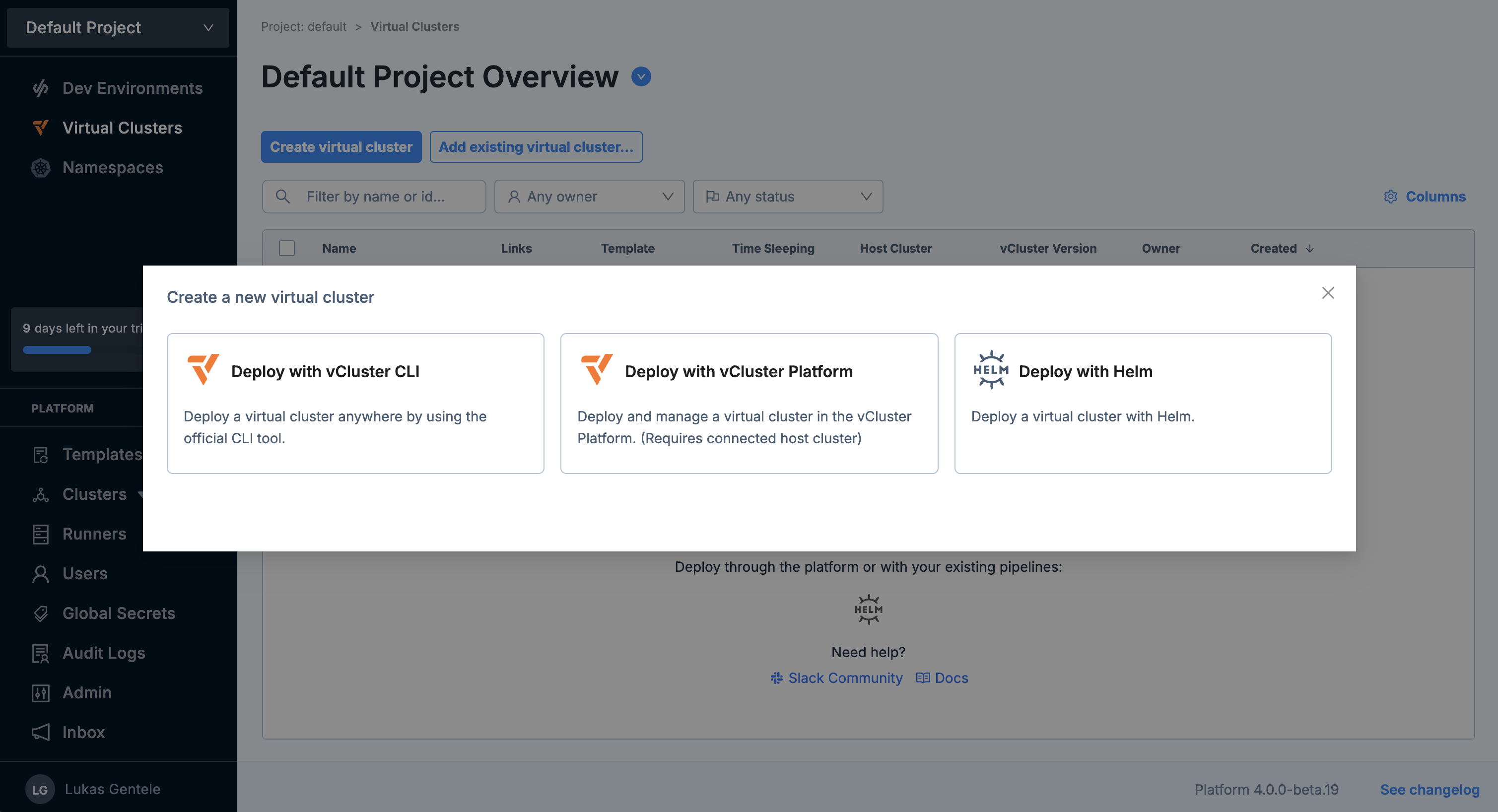
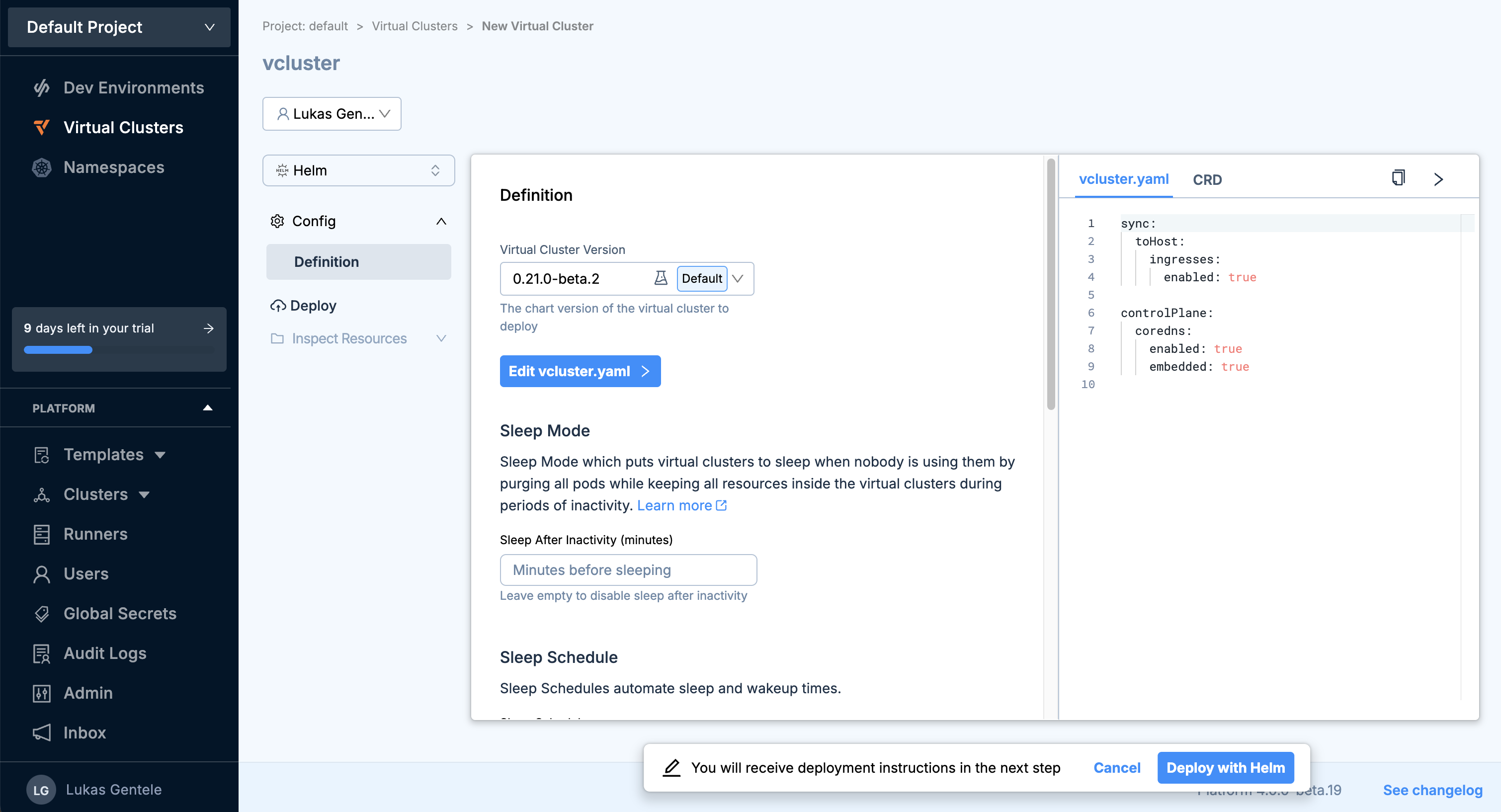
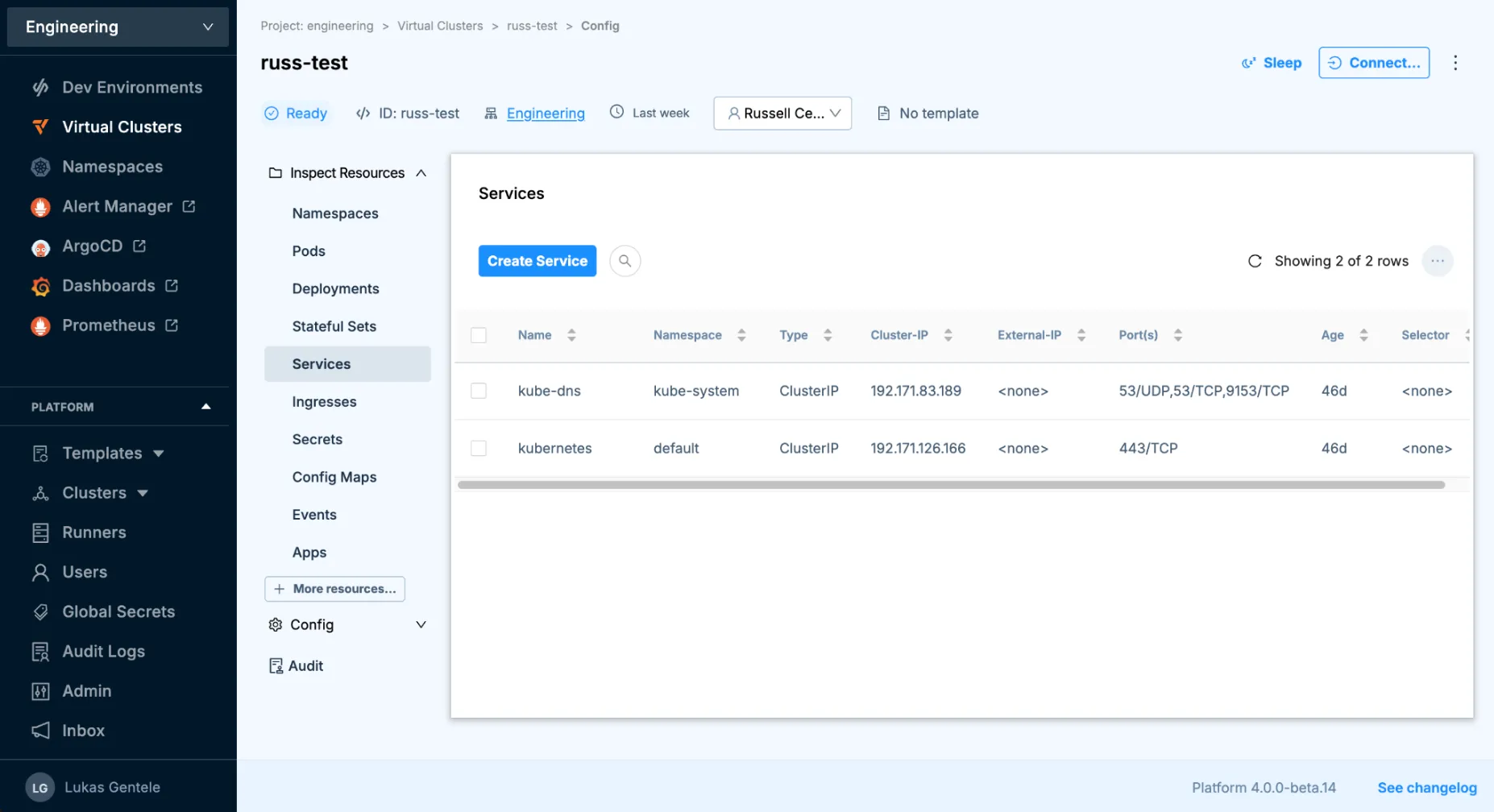
As part of this release, we drastically improved the UX by redesigning some key views in the product, including the creation and editing flow for virtual clusters as shown in the screenshots below.
Virtual cluster create flow - adding externally deployed
vcluster.yaml editing experience to reconfigure virtual clusters
Inspecting virtual cluster resources
Dynamic OIDC Clients
The Platform was designed to allow users to connect other tools as OIDC clients, enabling authentication through the Platform. This feature is especially valuable for administrators, as it allows them to configure SSO centrally within the Platform, rather than setting it up individually for each tool. Many users have already leveraged this capability for applications like Argo, Harbor, and others.
With Platform v4.0, the registration of OIDC clients has now been moved out of the Platform config and these OIDC clients are now configured in separate Kubernetes secrets. This makes it easier to register new applications without having to restart the Platform and to scope RBAC permissions to add and edit OIDC clients separately from the global Platform configuration.
BREAKING: Project Prefix Configurability
All project-scoped information and custom resources is stored in namespaces within the management cluster where the Platform runs. So far, all project namespaces have been prefix with loft-p-.
With v4.0 of the Platform, the default prefix has now been changed to p- and you can now change this prefix with the config option projectNamespacePrefix within the Platform config.
Please note that because the default value for projectNamespacePrefix is p-, existing users will need to explicitly set projectNamespacePrefix: "loft-p-" in their Platform config before upgrading from v3 to v4. More details in the migration guide.
Other Changes
Notable Improvements
The Platform now requires you to set a vCluster version when creating a virtual cluster. Previously the version field could be empty and would auto-populate with the Platform’s default value. Now, the field will be prefilled in the UI but a value is required to be saved in the virtual cluster configuration making the versions each virtual cluster runs with more explicit and easier to manage over time.
Spaceshave been renamed toNamespacesto clarify that they are just namespaces that are managed by the Platform.The default namespace when installing the Platform is now
vcluster-platformrather thanloftbut this can be adjusted and upgrading the Platform will not change the existing namespace.Loft CLI commands have now been ported into vCluster CLI and we urge everyone to start using vCluster CLI going forward.
Fixes & Other Changes
For a list of additional fixes and smaller changes, please refer to the release notes.