vCluster v0.22 - Native Sleep Mode and Cert-Manager Integration

The v0.22 release of vCluster provides two new exciting Pro features, native sleep mode and cert-manager integration, along with a host of OSS updates. Let’s dive in.
vCluster Native Sleep Mode
vCluster’s Sleep Mode is one of our most popular features. However, with the advent and adoption of externally deployed virtual clusters, users are often finding themselves in an environment without an agent deployed to each cluster. The current sleep mode feature requires a platform connection and an agent which is a constraint that this new version of the sleep mode tries to address.
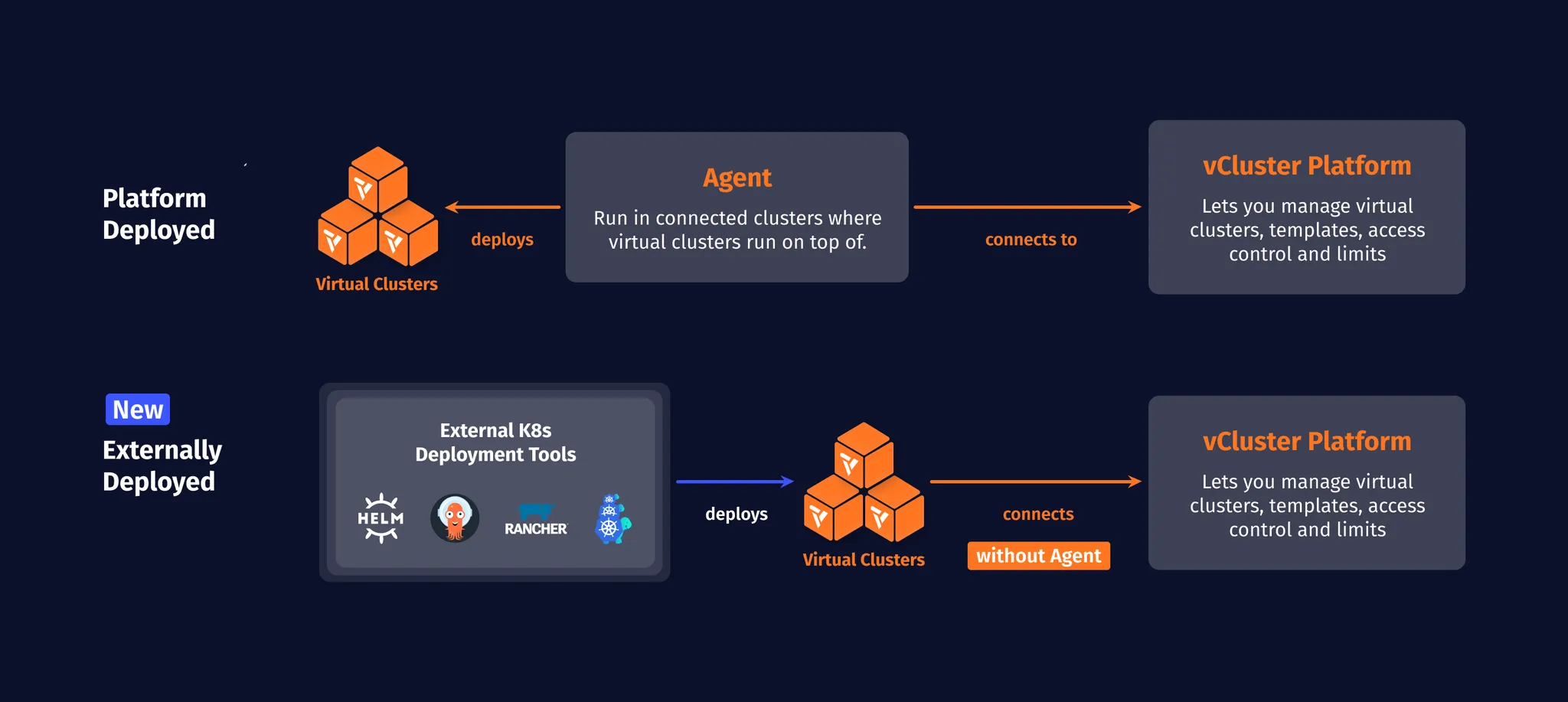
With vCluster native sleep mode, the virtual cluster itself can suspend workloads without shutting down the vCluster control plane, which can be used with or without the agent being present. Similar to the current sleep mode it uses two different metrics, user activity and ingress, to determine if workloads should be suspended. It can also be set to sleep and wake on a regular schedule.
Here is an example of how to configure the new vCluster native sleep mode in vcluster.yaml:
experimental:
  sleepMode:
    enabled: true
    autoSleep:
      afterInactivity: 1h
For more configuration options, see the docs.
As you can see in this code snippet, the new sleep mode is currently considered experimental because it doesn’t provide the same capabilities the platform-based sleep mode provides. Most notably, the ability to not just put workloads to sleep but also put the control plane to sleep is missing in this new sleep mode. We are working on adding all missing capabilities in the next couple of months. Once the new sleep mode reaches parity with the previous platform-based sleep mode, the vCluster native sleep mode will become the primary sleep feature of vCluster and the Platform. Keep an eye out for upcoming announcements in future releases, and in the meantime, we’d love to hear your feedback!
Cert-Manager integration
Integrations make vCluster easier to use and more convenient to configure as you scale up your environments. Taking advantage of the shared platform stack of controllers in an underlying host-cluster will save you overhead and hassle.
One of the more ubiquitous use cases is cert-manager. While syncing these resources was already possible using our Custom Resource syncing, we’ve turned this into an integration to provide a true easy-button experience. With the following configuration, Certificate resources generated on your virtual cluster will get signed by the cert-manager living in your host cluster:
integrations:
  certManager:
    enabled: true
For a more advanced walkthrough see our recent blog post, or for more details and advanced configuration see the docs pages.
Fixes & Other Changes
For a list of additional fixes and smaller changes, please refer to the release notes.